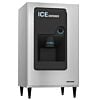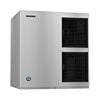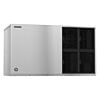
A detailed close-up shot of small, porous, and chewable Hoshizaki flaked ice gathered in a pile on a dark, textured surface

Spotting trouble before it snowballs helps avoid downtime. A Hoshizaki may hum along for years, yet still whisper hints it’s struggling. These cues pop up in odd shapes - sluggish output, strange sounds, frost where it shouldn’t be. Catching them fast keeps ice flowing without hiccups. Machines built tough aren't immune to wear; they just hide it longer. Watch closely, act sooner - ice doesn’t wait.


When daily work relies on commercial ice machines, delaying repairs after breakdowns just won't work. Spotting issues before they grow makes a real difference - this guide shows which signals to watch for. Keep basic tools nearby, so fixes don’t stall out. Quick moves when problems pop up help avoid longer stoppages. Checking the unit regularly builds consistency into upkeep, reducing surprise hiccups later.


Why These Signs Matter: Prevents sudden production loss

Minor issues can snowball into total ice melt when overlooked. Catching red flags ahead of time maintains smooth operations instead of rushing to replace frozen supplies mid-rush.


Protects long-term machine health

Sluggish freezing, hazy cubes, or odd sounds often signal something’s starting to go. Getting it checked early keeps small glitches from wrecking vital parts or wearing the unit down faster than needed.


Lowers total expenses for fixes

Fixing things in a rush usually costs way more than regular upkeep. Keeping up with cleanups, clearing gunk from ice makers, or swapping out filters helps save cash down the road.


A few simple tools make upkeep easier. Keep food-grade cleaner nearby - it works well on surfaces that touch what people eat. A gentle scrubbing brush helps lift grime without scratching. Add sanitizing solution to your kit once in a while, especially after heavy use. These items together help prevent stubborn residue from forming over time.


New water filters work better - old ones slow things down, mess with ice flavor, plus pile up mineral gunk over time. Swap them out. Options approved for your unit sit in the water filter collection


Approved descaling agents tackle scale that collects in the evaporator - slowing things down, possibly setting off alerts. When you go with solutions rated for ice machines, operations stay steady through freeze and release stages.


Start by looking at the water flow. Ice production slows when supply is weak - maybe a filter’s blocked, or the valve shut tight. Sometimes the line freezes without warning. Each part matters; if one fails, everything halts.


Check the evaporator face next. Buildup on the surface, changes in color, or sluggish ice shedding often point to a need for cleaning. Delayed detachment of ice suggests mineral crusts have formed over time.


Third, clean the ice bin thoroughly. Though ice keeps forming just fine, grime inside might taint the next batch. Wipe it down now and then - keeps things pure, people satisfied.


Swap out the water filter every few months - a blocked one might slow things down, even cause stoppages. Fresh filters keep everything running smoothly, plus they help make clearer ice over time.


Restart the system once. Fleeting glitches might vanish after a reboot. When the identical alert shows up again, assume deeper issues exist - best handled by experts.


Weekly, take a quick look. Tune into odd noises instead of just glancing. Watch how the ice forms - texture tells stories. If harvest times drag, make a mental note. Spotting hiccups now keeps bigger issues at bay.


Once a month, give things a quick wipe down. Clean the bin using mild soap, then rinse it well. Check the water hoses carefully after sanitizing - look for cracks or leaks. Small steps like these keep everything running without surprises.


Every few months, take a look at the filter - clean it when things slow down. If your water’s heavy or you use it a lot, touch it up sooner. Hardness and daily demand shape how often it needs care.


Schedule inspections every six months - give your system a proper scrub-down each time. In busy spaces, bring in experts sooner rather than later.


Clear Signs It’s Time to Call Service: Significant drop in ice output

If output drops sharply - despite thorough cleaning - something might be off mechanically or within the cooling system. Get help by visiting the support section online.


Unusual or loud operating noises

Fans sputter, motors click - signs something’s off inside, maybe a pump dragging behind. Humming too loud? That usually means trouble waiting beneath the surface.


Sudden change in ice quality

Foggy, lumpy cubes often point to mineral buildup - maybe a clogged filter, or the evaporator struggling more than usual. Sometimes it's just wear, other times something deeper hums beneath the chill.


Faults keep returning - typically tied to sensors or hidden parts inside, where a wipe-down does nothing. Alerts pop up again because boards fail, not just dirt buildup. Some glitches ignore scrubbing, pointing instead to deeper wear. When signals repeat, it's rarely about surface mess.


Water seeping into the view puddles up nearby

Leakage often points to clogged pipes or worn-out parts. Getting it checked right away can stop leaks from spreading, sparing your space unwanted moisture and halting deeper system troubles before they grow.


Book service or set up PM: visit our service page or message us on our contact page.

When to Call Service: Five Signs Your Hoshizaki Needs Attention

Intro

Knowing when to call service: five signs your Hoshizaki needs attention can save you from downtime, expensive emergency fixes, and inconsistent ice production. Even the most reliable Hoshizaki ice maker requires routine care, and understanding the early warning signs ensures your machine stays dependable. If you rely on a commercial ice equipment setup for daily operations, recognizing problems before they escalate is the key to keeping your machine efficient and your customers satisfied.

This guide explains why these signs matter, the basic tools you should have, the steps to take right away, and how often to check your machine as part of a healthy maintenance schedule.

Why It Matters

Preventing production loss

Ignoring early issues can lead to a sudden stop in ice production. This affects service quality and puts pressure on staff—especially during peak hours. Addressing problems early ensures consistent output.

Protecting long-term performance

Most problems start small: slow cycles, unusual noises, or cloudy ice. Knowing the warning signs helps you catch issues before they damage key components or reduce machine lifespan.

Avoiding unnecessary expenses

Reactive repairs often cost more than routine service. Keeping up with light cleaning, ice machine descaling, and filter care saves money over the long term.

Tools

Basic cleaning supplies

A food-safe cleaner, soft brush, and sanitizer help you complete routine Hoshizaki cleaning tasks. These are the first line of defense against debris and biofilm.

Replacement water filters

Dirty filters cause poor ice taste, low production, and scale buildup. You can find replacements at /collections/water-filters.

Approved descaling solution

Scale inside the evaporator reduces efficiency and can trigger error codes. Hoshizaki-approved descaling solutions help maintain proper water flow and freeze cycles.

Steps

1. Check water flow

If the machine is producing less ice or none at all, ensure water is reaching the unit. A blocked filter or frozen line may be the cause.

2. Inspect the evaporator

Look for scale, discoloration, or unusually slow ice release. These are common indicators that ice machine descaling is overdue.

3. Sanitize the bin

Dirty bins can contaminate fresh ice and cause customer complaints. Regular bin sanitizing keeps your ice clean and reduces machine strain.

4. Replace the water filter

A clogged filter restricts water flow and can cause your machine to shut down. Replacing filters on schedule protects long-term performance.

5. Reset if needed

Some error codes or temporary malfunctions clear after a reset. But if the same issue repeats, it’s a sign the machine needs professional attention.

Frequency

Weekly

Check for unusual sounds, reduced ice quality, or slower harvest cycles. Early detection helps prevent larger failures.

Monthly

Light cleaning, basic sanitizing, and checking the bin and water lines should be part of your monthly routine. This supports a solid maintenance schedule.

Quarterly

Check your filter and replace it if output has dropped. Descale the evaporator as needed based on usage and water hardness.

Semiannual

Schedule a detailed clean and inspection. If your unit is in a high-volume environment, increase the frequency accordingly.

When to Call Service

Ice production drops significantly

If output falls by 20–50% even after cleaning, the machine may have mechanical or refrigeration issues requiring professional service from our service page.

You hear loud or unusual noises

Grinding, clicking, or humming often suggests fan, pump, or motor problems. These should not be ignored.

Ice quality suddenly changes

Soft, cloudy, or misshapen ice often signals scaling, dirty filters, or evaporator issues that need expert diagnosis.

The machine displays recurring error codes

Some codes relate to sensors or board issues—not something that routine cleaning will fix.

Water leaks or pooling appear

Leaks usually point to line obstructions or internal component problems. Immediate service is recommended to prevent water damage.

Book service or set up PM: visit our service page or message us on our contact page.